Rectangle is free, open source, and it works. But if you’re Googling “Best Rectangle alternative” and ended up here, I’m not going to explain what Rectangle is or how it works. If you’re curious though, I wrote an objective comparison you can read here.
These things don’t exist in NeoTiler: fixed halves, fixed thirds, fixed quarters. No “that’s how the grid works.” No missing layout save feature. No trackpad that does nothing useful.
I designed and built NeoTiler around one principle: maximum freedom and usability for the user. Every feature is built around this. Every default setting is customizable. My goal isn’t just to give you features, it’s to give you a personal experience and a real connection with the app.
Let’s get into what it actually does.
Custom Snap Zones
You draw them yourself. Any size, any position, anywhere on the screen. Don’t like the defaults? Delete them.
Most window managers hand you a grid and call it flexibility. NeoTiler hands you a blank canvas.
This came from a real problem I had. I don’t work in neat halves and thirds. My coding setup has a terminal in the bottom left, a browser taking up two thirds of the right side, and my editor filling the rest. No preset grid handles that. So I made it possible to draw exactly what you need.
You can even create a custom snap zone in the dead center of your second monitor, or in some oddly specific corner, and snap any window there instantly with a single shortcut.
Workspace Profiles
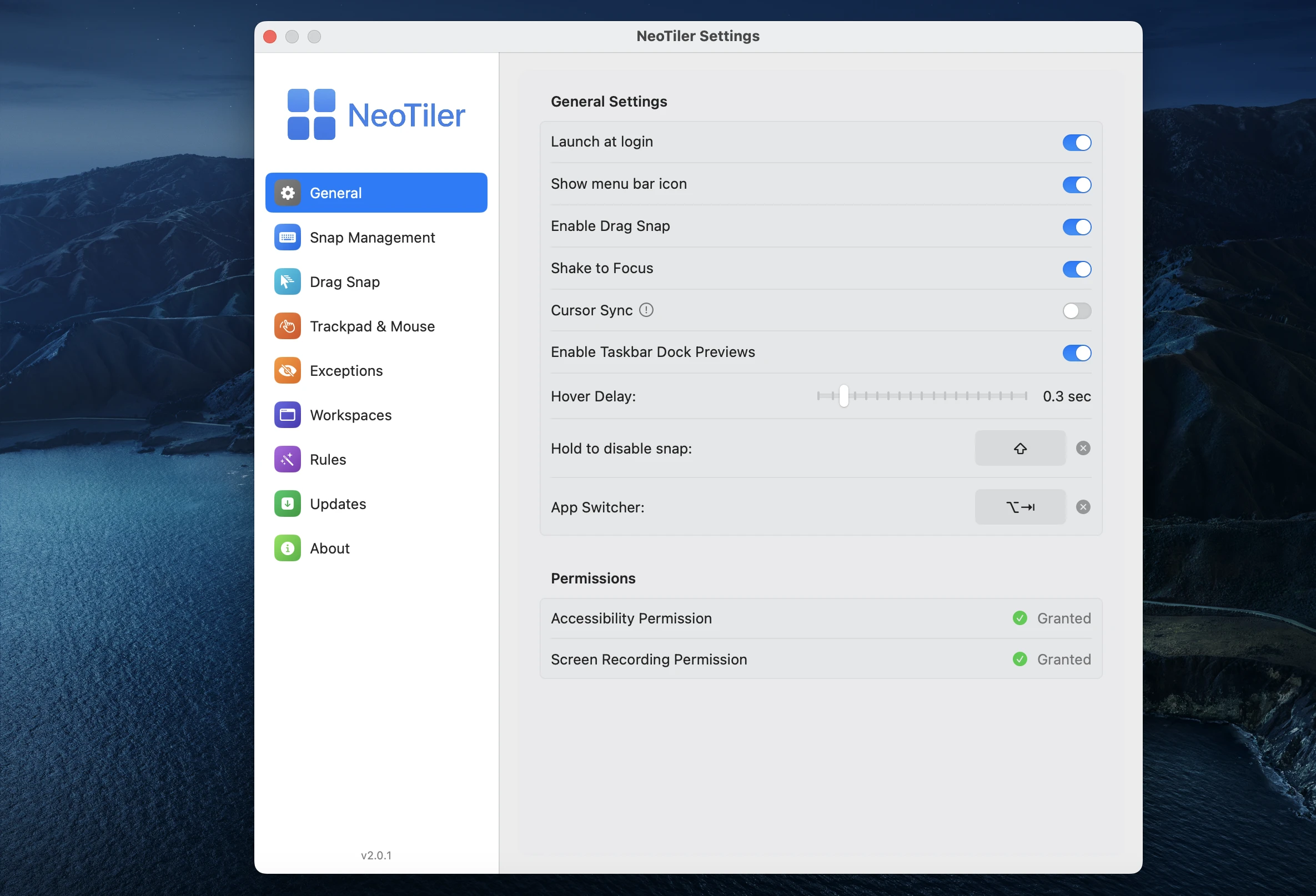
Save your entire multi-app layout and restore it instantly. One keyboard shortcut and everything snaps back into place, every window, every app, every position.
This is the feature people ask about most. The problem it solves is real: you spend two minutes rearranging windows every morning or every time you switch contexts. With workspace profiles you do it once and never again.
You can even go further: open a specific URL in your browser, or launch an app with a specific folder path already loaded in Finder, all as part of a single workspace restore.
Shake to Focus
Grab a window, shake it, everything else fades into the background. It sounds small until you have fifteen windows open and you’re hunting for the one you need. After a week you stop noticing it’s there, which is exactly how a good feature should work.
Advanced App Switcher
Native CMD+Tab has always felt incomplete to me. It’s not even a bug, it’s just a gap: if the app you’re switching to is minimized in the bottom right corner, the system tells you it switched, but the app stays right where it was. If it’s not coming to my screen, what’s the point of switching to it?
NeoTiler fixes this with a cleaner transition effect and a switcher that brings the app to the foreground no matter where it is. Actually functional, not just technically present.
Trackpad Gestures
Multi-finger swipes, pinches, taps, all mappable to window management actions. Works on every Mac including Mac Mini and Mac Studio with an external mouse. Instead of clicking around trying to find or open something, one gesture handles the whole thing.
Taskbar Thumbnail Preview
This might be the feature I was most personally excited to add, coming from years on Windows. On macOS, switching between multiple windows of the same app has always felt like a chore, especially when your screen is already crowded.
This feature brings the Windows experience over directly. Switching between windows becomes easy and actually enjoyable.
Why It’s Not on the App Store
NeoTiler is distributed directly, not through the Mac App Store. The reason is technical: window managers need accessibility permissions to move and resize windows. Apple’s sandbox restrictions make that genuinely painful to maintain through the App Store, and slow update cycles mean I can’t fix a reported bug the same day it comes in.
Distributing directly means I can push a fix the day a problem is reported. And for anyone concerned about security: every release goes through Apple’s notarization process and is signed by Apple before it ships.
Pricing
NeoTiler is now $9.99 lifetime. One-time payment, no subscription, no yearly renewal, no Pro version locking features away.
If you want a window manager that actually works the way you do, you can try it with a 14-day free trial.
| Feature | Rectangle | NeoTiler |
|---|---|---|
| Basic Window Snapping | ✓ | ✓ |
| Custom Snap Areas | Pro Only | ✓ |
| Smart Workspaces / Profiles | Pro Only | ✓ |
| Mouse & Trackpad Gestures | × | ✓ |
| Shake to Focus | × | ✓ |
| Advanced App Switcher | × | ✓ |
| Windows-Style Taskbar Preview | × | ✓ |
| Zero Data Collection | ✓ | ✓ |
| Price | Free / $9.99+ | $9.99 Lifetime |
For more information and all features, and for a Try NeoTiler Free for 14 Days (No Card Required)

 Veysel Okatan